 VertexForge Studio
From download to your first projectVom Download zum ersten Projekt
About three minutes. Pick your system, follow the steps, and the guided tour takes over on the first start.Etwa drei Minuten. Wähle dein System, folge den Schritten, und beim ersten Start übernimmt die geführte Tour.
Install the desktop appDesktop-App installieren
-
1
Download the setupSetup herunterladen
Get
VertexForge-Studio-Setup.exefrom the latest GitHub release. Optional but recommended: check that the file is genuine by comparing its SHA-256 checksum.LadeVertexForge-Studio-Setup.exeaus dem neuesten GitHub-Release. Optional, aber empfohlen: Prüfe mit der SHA-256-Prüfsumme, ob die Datei echt ist.certutil -hashfile VertexForge-Studio-Setup.exe SHA256 # must printmuss ausgeben: 8f41c2caf6b71ba593d90d6aa8908788e1a8edcbd95963bae3208f9fa0989b1f -
2
Get past SmartScreen and allow the installSmartScreen und Installation erlauben
VertexForge is not code-signed (certificates cost a few hundred euros per year), so Windows may show “Windows protected your PC”. Click More info, then Run anyway. Then confirm the administrator prompt – the setup needs it to install into “Program Files”.VertexForge ist nicht signiert (Zertifikate kosten einige hundert Euro im Jahr), daher zeigt Windows eventuell „Der Computer wurde durch Windows geschützt“. Klicke auf Weitere Informationen und dann auf Trotzdem ausführen. Bestätige danach die Administrator-Abfrage – das Setup braucht sie, um nach „Programme“ zu installieren.
-
3
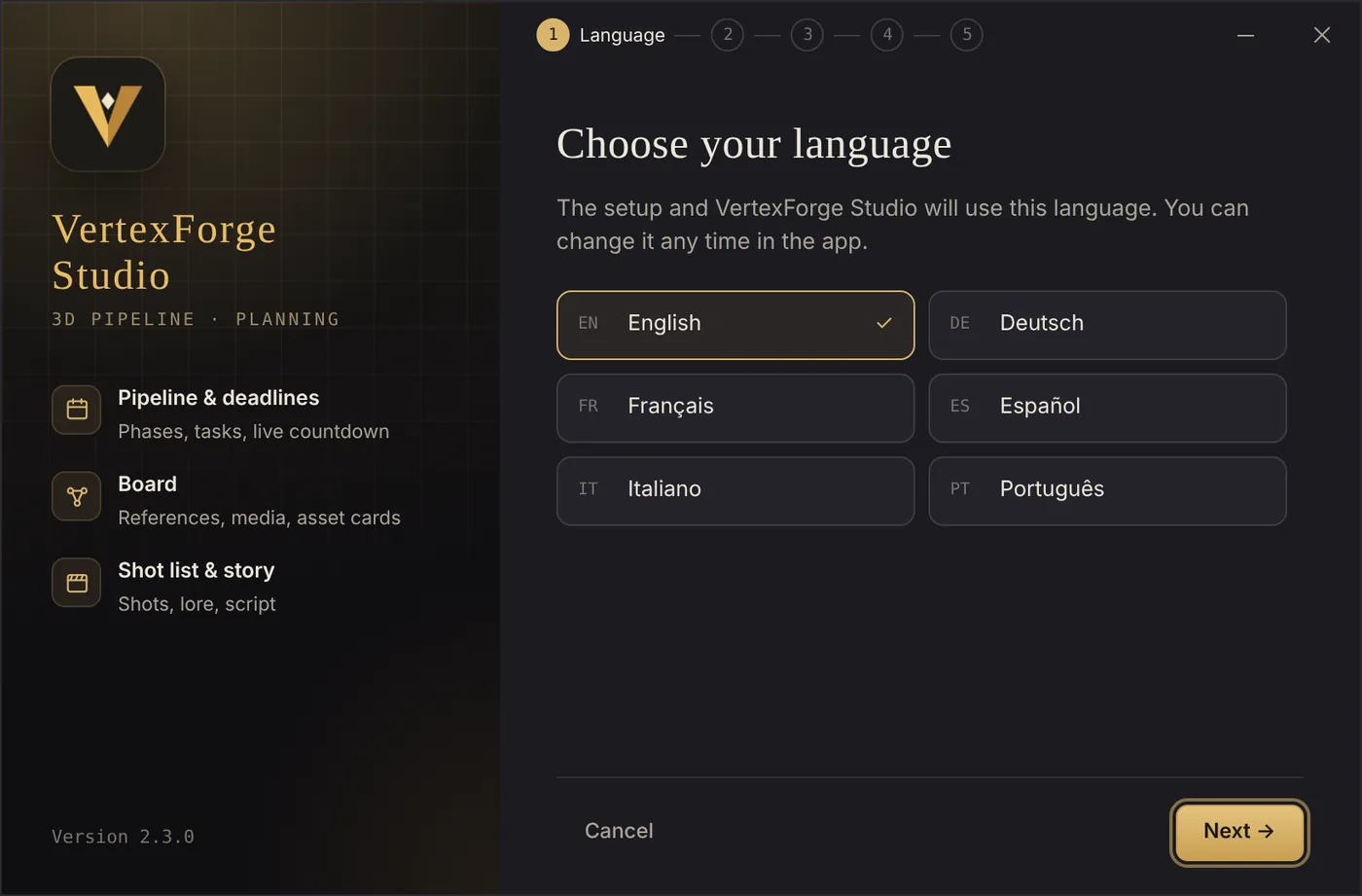
Choose your languageSprache wählen
English is preselected. Your choice also becomes the app’s language on the first start – you can change it any time later.Englisch ist vorausgewählt. Deine Wahl wird auch die Sprache der App beim ersten Start – du kannst sie später jederzeit ändern.
-
4
Pick the folder and shortcutsOrdner und Verknüpfungen wählen
The default is
C:\Program Files\VertexForge Studio. Keep the desktop shortcut and Start menu entry switched on if you like. If an older version is found, the button says Update instead of Install.Standard istC:\Program Files\VertexForge Studio. Desktop-Verknüpfung und Startmenü-Eintrag kannst du an- oder ausschalten. Wird eine ältere Version gefunden, heißt der Knopf Aktualisieren statt Installieren.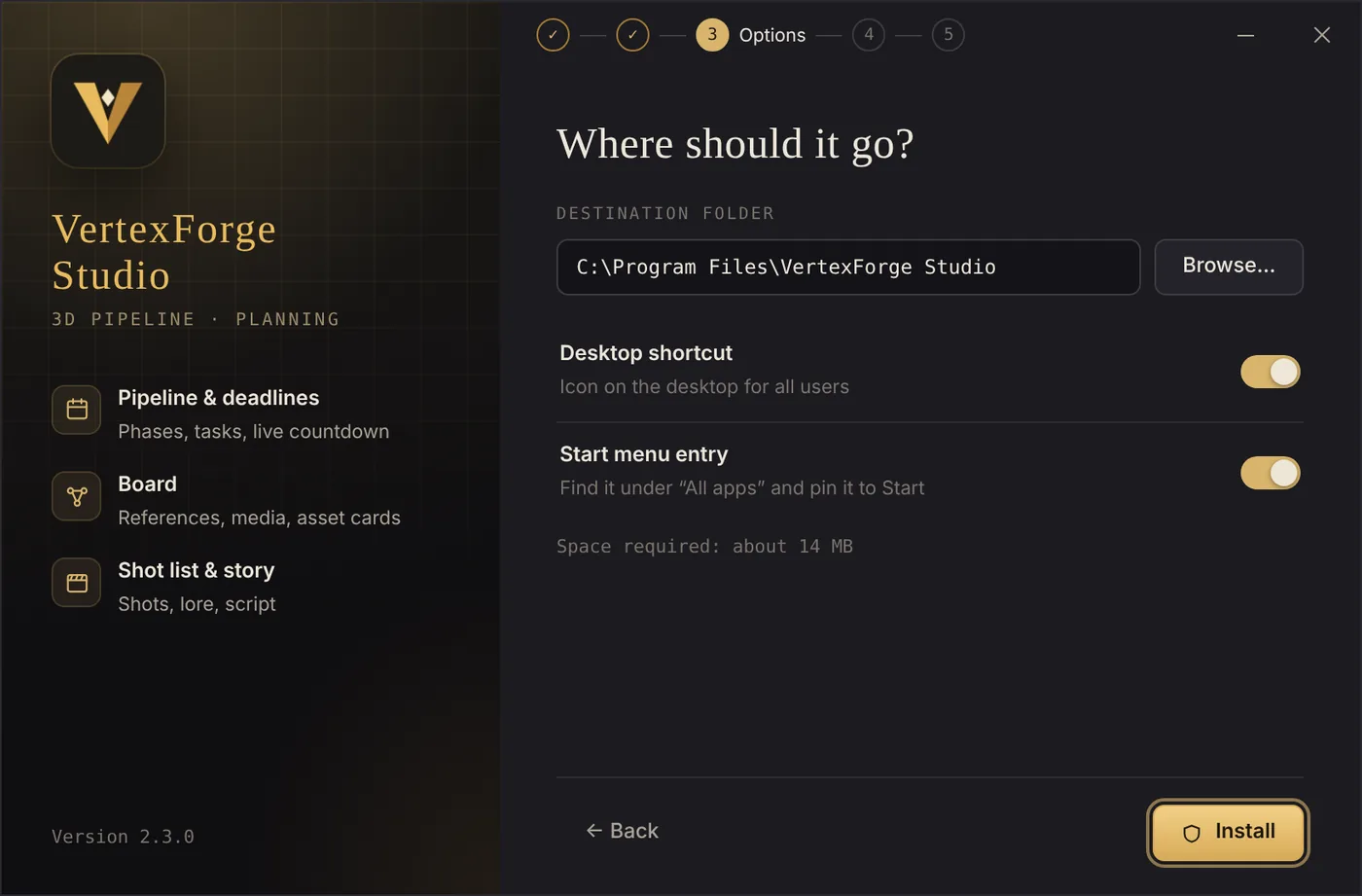
-
5
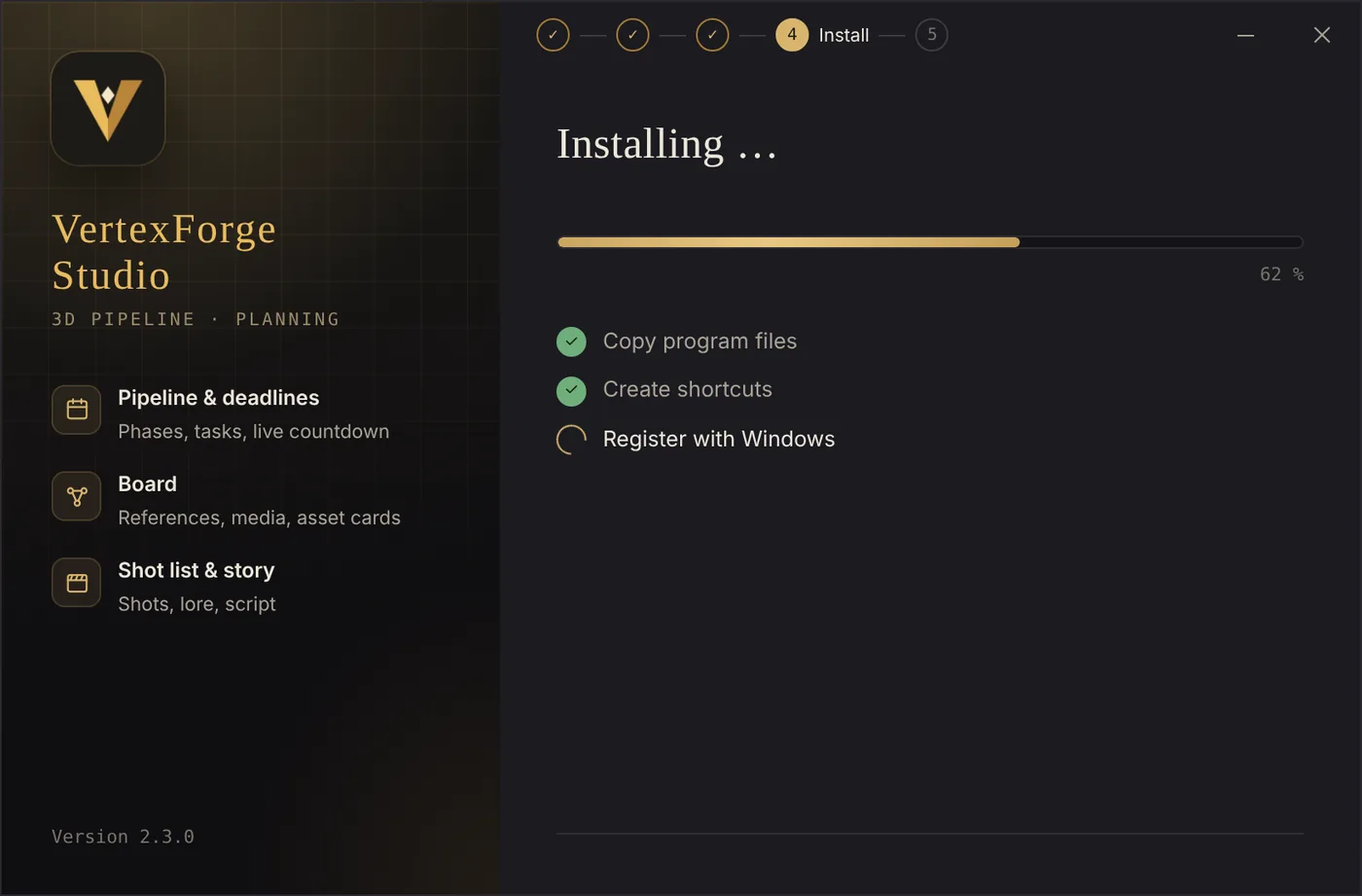
Let it installInstallieren lassen
Copying files, creating shortcuts and registering with Windows takes a few seconds.Dateien kopieren, Verknüpfungen anlegen und bei Windows registrieren dauert ein paar Sekunden.
-
6
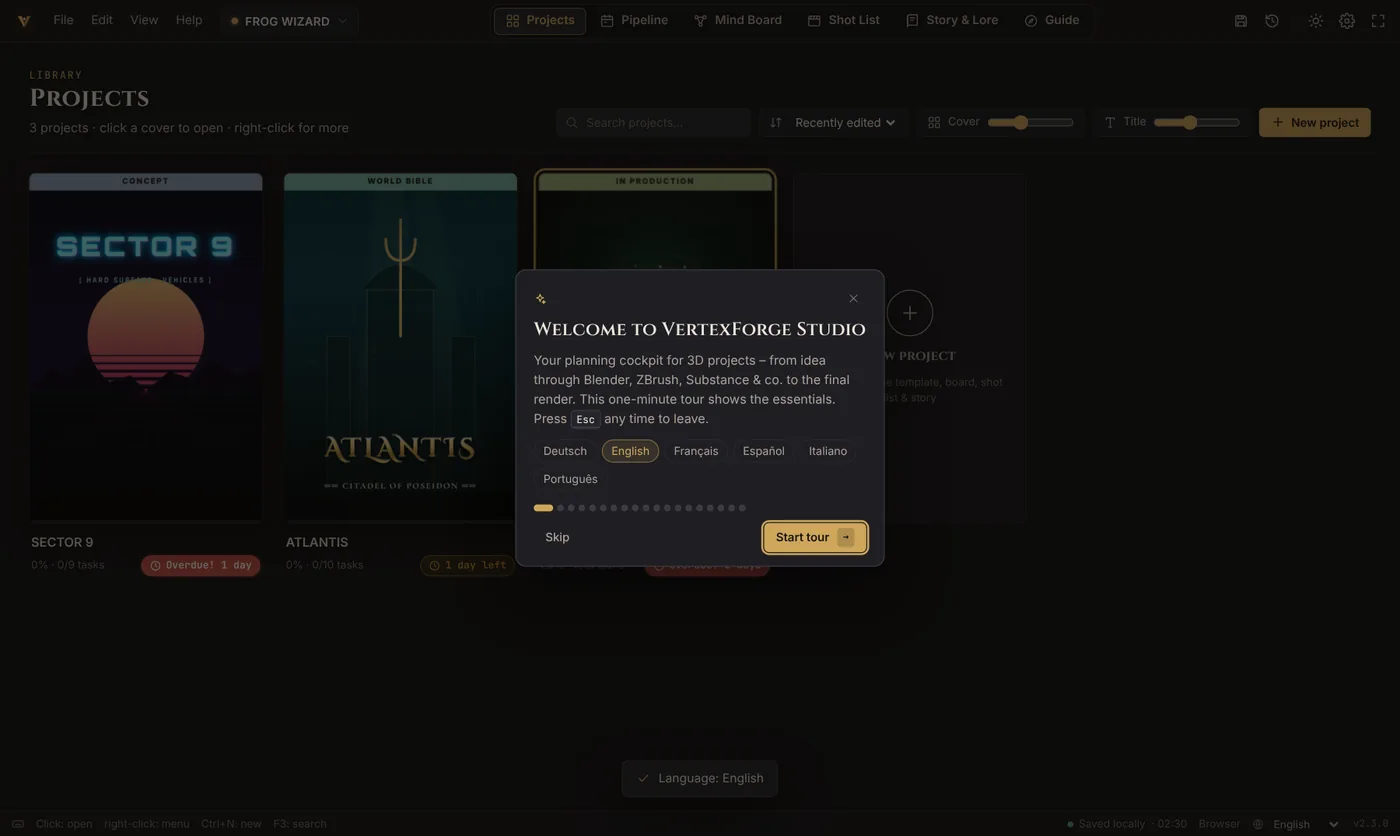
Start and take the tourStarten und Tour machen
Leave “Launch VertexForge Studio now” on and click Finish. On the first start a guided tour shows you every area in about a minute – skip it with Esc and replay it any time under Help ▸ Guided tour.Lass „VertexForge Studio jetzt starten“ an und klicke auf Fertigstellen. Beim ersten Start zeigt dir eine geführte Tour in etwa einer Minute alle Bereiche – überspringen mit Esc, wiederholen jederzeit unter Hilfe ▸ Geführte Tour.
Use the browser versionDie Browser-Version nutzen
There is no native Mac or Linux app yet. The browser version has every feature except opening linked files directly in other programs (it copies the path instead).Eine native Mac- oder Linux-App gibt es noch nicht. Die Browser-Version kann alles außer verknüpfte Dateien direkt in anderen Programmen zu öffnen (sie kopiert stattdessen den Pfad).
- Online:Online: click “Open in browser” and bookmark the page. Your projects are stored in this browser on this computer.Klicke auf „Im Browser öffnen“ und setze ein Lesezeichen. Deine Projekte werden in diesem Browser auf diesem Computer gespeichert.
- Offline:Offline: download the .html file, put it somewhere permanent (e.g. Documents) and double-click it. Always open the same file, because the browser stores data per file location.Lade die .html-Datei, lege sie an einen festen Ort (z. B. Dokumente) und öffne sie per Doppelklick. Öffne immer dieselbe Datei, denn der Browser speichert die Daten pro Dateiort.
- Safari: with macOS Sonoma or newer you can use File ▸ Add to Dock to get an app-like window.Ab macOS Sonoma kannst du mit Ablage ▸ Zum Dock hinzufügen ein app-ähnliches Fenster bekommen.
- Back up regularly:Regelmäßig sichern: browsers can delete stored data when you clear history or site data. Use Ctrl/⌘+S to save a .vforge project file.Browser können gespeicherte Daten löschen, wenn du Verlauf oder Website-Daten leerst. Speichere mit Strg/⌘+S eine .vforge-Projektdatei.
Your projects survive every updateDeine Projekte überstehen jedes Update
UpdateAktualisieren
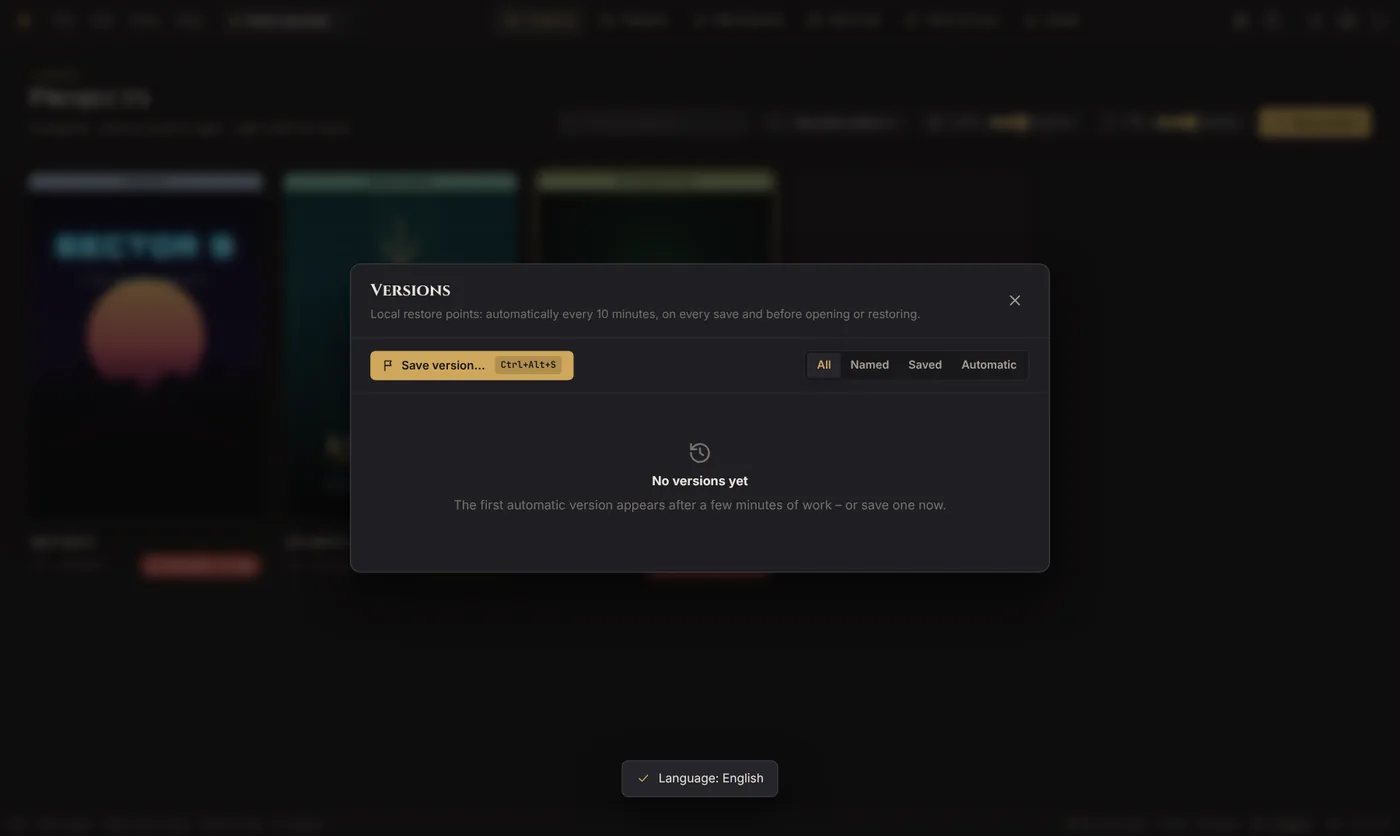
Close VertexForge, download the new setup and run it. It recognises the existing installation and replaces only the program. Before the first start of a new version, the app saves a safety version of all your projects.Schließe VertexForge, lade das neue Setup und führe es aus. Es erkennt die vorhandene Installation und ersetzt nur das Programm. Beim ersten Start einer neuen Version legt die App eine Sicherheits-Version aller Projekte an.
UninstallDeinstallieren
Windows Settings ▸ Apps ▸ Installed apps ▸ VertexForge Studio ▸ Uninstall. Your projects stay on your PC unless you tick “Also delete my local projects and settings”.Windows-Einstellungen ▸ Apps ▸ Installierte Apps ▸ VertexForge Studio ▸ Deinstallieren. Deine Projekte bleiben auf dem PC, außer du setzt den Haken bei „Auch meine lokalen Projekte und Einstellungen löschen“.
Move to another PCAuf einen anderen PC umziehen
In the app choose File ▸ Backup all projects. On the new computer install VertexForge and open the backup with File ▸ Open.Wähle in der App Datei ▸ Backup aller Projekte. Installiere VertexForge auf dem neuen Computer und öffne das Backup mit Datei ▸ Öffnen.
Where everything livesWo alles liegt
Nothing leaves your computer. There is no account, no cloud and no telemetry.Nichts verlässt deinen Computer. Es gibt kein Konto, keine Cloud und keine Telemetrie.
C:\Program Files\VertexForge StudioVertexForge Studio.exe, Uninstall VertexForge Studio.exe, WebView2Loader.dll (by Microsoft)VertexForge Studio.exe, Uninstall VertexForge Studio.exe, WebView2Loader.dll (von Microsoft)%LOCALAPPDATA%\VertexForge Studio\WebView2%TEMP%\VertexForgeSetup%LOCALAPPDATA%\VertexForge Studio\vertexforge.logwherever you save .vforge fileswo du .vforge-Dateien speicherstIf something goes wrongWenn etwas nicht klappt
“WebView2 Runtime is missing”„WebView2 Runtime fehlt“
Install the free Microsoft Edge WebView2 Runtime (Evergreen) from developer.microsoft.com/microsoft-edge/webview2, then start VertexForge again.Installiere die kostenlose Microsoft Edge WebView2 Runtime (Evergreen) von developer.microsoft.com/microsoft-edge/webview2 und starte VertexForge erneut.
My antivirus blocks the setupMein Virenscanner blockiert das Setup
New, unsigned programs are sometimes flagged by mistake. Compare the SHA-256 checksum with the one on the homepage. If it matches, the file is the published one. All known scanner results are listed openly in the security section. Please report the alarm with the false alarm form (scanner name and detection name), so it can be sent to the vendor.Neue, nicht signierte Programme werden manchmal fälschlich markiert. Vergleiche die SHA-256-Prüfsumme mit der auf der Startseite. Stimmt sie, ist es die veröffentlichte Datei. Alle bekannten Scanner-Ergebnisse stehen offen im Sicherheitsbereich. Bitte melde den Alarm über das Fehlalarm-Formular (Name des Scanners und der Erkennung), damit er an den Hersteller gehen kann.
I want to use it without installingIch möchte es ohne Installation nutzen
Download VertexForge-Studio-Portable.zip, unpack it anywhere (for example a USB stick) and start “VertexForge Studio.exe”. Keep WebView2Loader.dll in the same folder. Your projects are still stored in %LOCALAPPDATA%\VertexForge Studio.Lade VertexForge-Studio-Portable.zip, entpacke es an einen beliebigen Ort (zum Beispiel einen USB-Stick) und starte „VertexForge Studio.exe“. WebView2Loader.dll muss im selben Ordner bleiben. Deine Projekte liegen trotzdem in %LOCALAPPDATA%\VertexForge Studio.
“VertexForge Studio is still running”„VertexForge Studio läuft noch“
Close the app (also check the taskbar) and click Back, then Install again.Schließe die App (auch in der Taskleiste nachsehen) und klicke auf Zurück und dann erneut auf Installieren.
The window or text is too small or too bigFenster oder Schrift zu klein oder zu groß
Use Ctrl + mouse wheel or Ctrl++/−. Ctrl+0 resets the size.Nutze Strg + Mausrad oder Strg++/−. Strg+0 setzt die Größe zurück.
Linked videos show no previewVerknüpfte Videos zeigen keine Vorschau
Previews of files on your disk only work in the Windows app. Check that the file still exists – missing files are shown in red.Vorschauen von Dateien auf der Festplatte gibt es nur in der Windows-App. Prüfe, ob die Datei noch existiert – fehlende Dateien werden rot angezeigt.
I want to start completely freshIch möchte ganz neu anfangen
Settings ▸ Data ▸ Reset everything. Export a backup first if you want to keep anything.Einstellungen ▸ Daten ▸ Alles zurücksetzen. Exportiere vorher ein Backup, wenn du etwas behalten willst.